
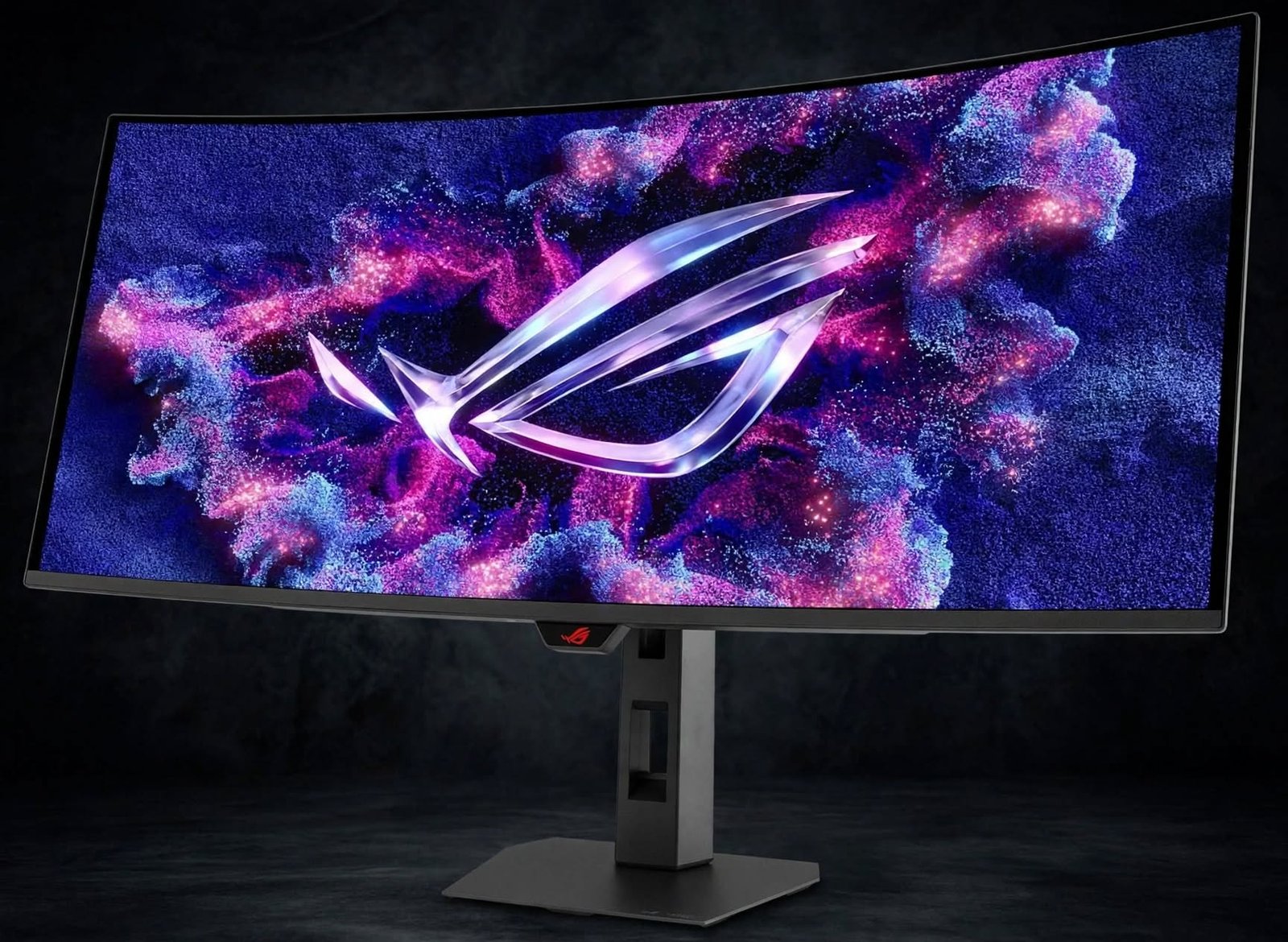
For years, PC gamers have faced an annoying dilemma when shopping for a high-end display: do you buy a blistering-fast 16:9 esports monitor for competitive shooters, or do you buy a sweeping 21:9 ultrawide for cinematic immersion? Historically, choosing an ultrawide meant settling for lower refresh rates (usually 144Hz to 175Hz), slower pixel transitions, or noticeable text fringing on early OLED panels.
With the ASUS ROG Strix OLED XG34WCDMS, that compromise is officially dead. Equipped with Samsung Display’s fifth-generation Tandem RGB QD-OLED panel, a massive 280Hz refresh rate, an instantaneous 0.03ms response time, and a redesigned RGB-stripe subpixel layout, ASUS has engineered an ultrawide monitor that refuses to choose between cinematic beauty and tournament-grade speed.
Retailing around $899 USD, the XG34WCDMS aims to deliver flagship performance without the ultra-expensive price tag of top-tier Swift models. In this comprehensive review, we break down the panel technology, real-world gaming performance, burn-in protections, connectivity, and everyday usability to see if this 34-inch curved powerhouse deserves the centerpiece spot on your desk.
Key Specifications at a Glance
| $729.00 | Amazon |
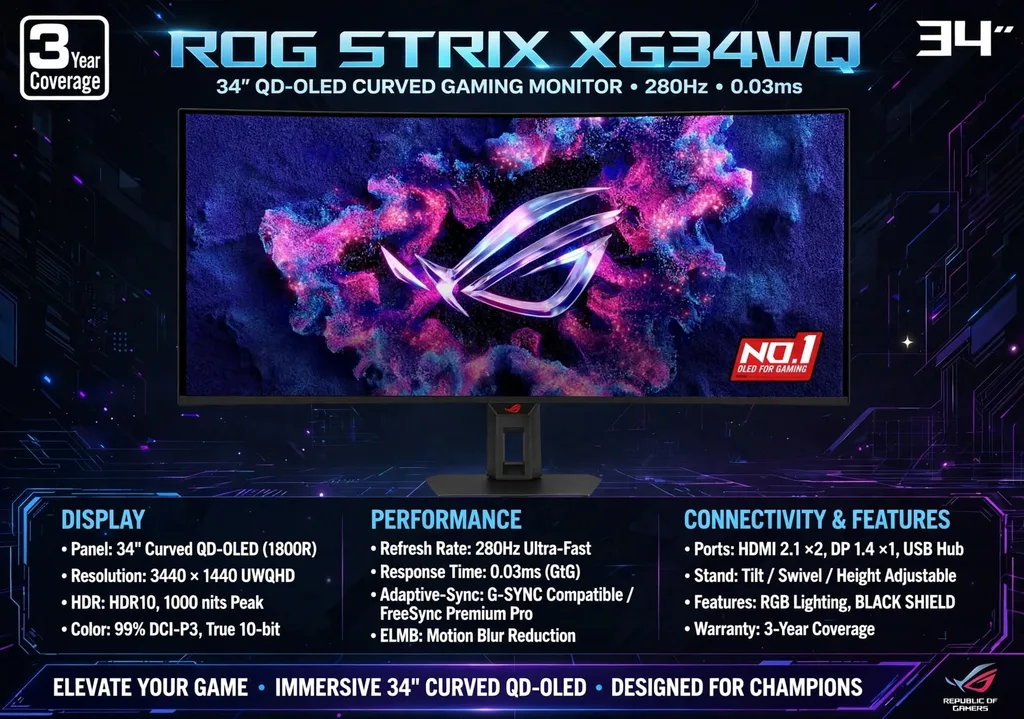
Before diving into how the monitor performs in real-world scenarios, here is a look at the core hardware powering the ASUS ROG Strix XG34WCDMS:
| Specification | Details |
| Display Size & Curvature | 34.18-inch Curved (1800R) |
| Aspect Ratio & Resolution | 21:9 UWQHD (3440 × 1440), 109 PPI |
| Panel Technology | 5th-Gen Tandem RGB QD-OLED |
| Subpixel Layout | RGB-Stripe (Improved text clarity) |
| Screen Coating | Anti-Reflection BlackShield Film |
| Refresh Rate | 280Hz (48Hz – 280Hz VRR) |
| Response Time | 0.03ms (Gray-to-Gray) |
| Brightness | 300 nits (SDR) / 1,300 nits (HDR Peak) |
| Contrast Ratio | 1,500,000:1 |
| HDR Certification | VESA DisplayHDR 500 True Black, HDR10 |
| Color Gamut & Accuracy | 99% DCI-P3, 135% sRGB, Factory Calibrated \Delta E \le 2 |
| Adaptive Sync | NVIDIA G-SYNC Compatible, AMD FreeSync Premium Pro |
| Video & Data Ports | 2× HDMI 2.1 (48Gbps FRL), 1× DisplayPort 1.4 (DSC), 1× USB-C (DP Alt Mode, 15W PD), 3× USB 3.2 Gen 1 Type-A, 3.5mm Audio Out |
| Ergonomics & Mounting | Height (0–110mm), Tilt (+20° to -5°), Swivel (±25°), VESA 100×100mm, 1/4″ Tripod Socket |
| Warranty | 3-Year Warranty (Including OLED Burn-In) |
Design, Build Quality, and Ergonomics
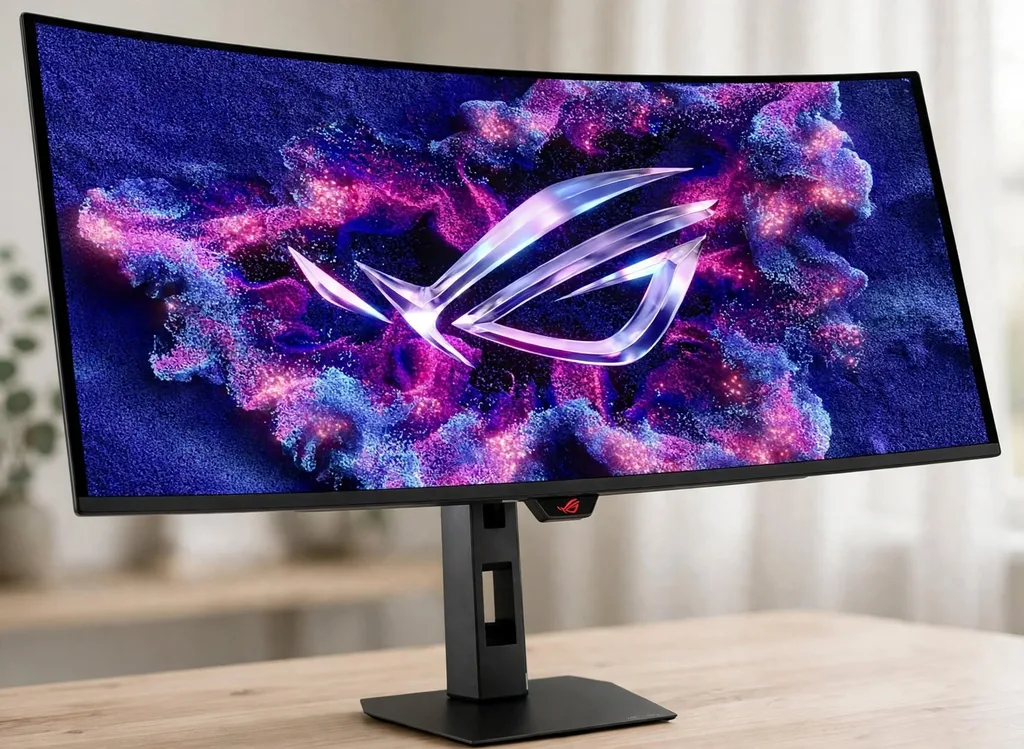
From the front, ASUS has opted for a clean, understated aesthetic that lets the massive 34-inch curved screen do the talking. The bezels along the top and sides are razor-thin, maximizing immersion whether you are running a single-monitor setup or flanking the display with vertical side panels. Along the bottom chin sits a subtle ROG emblem that adds brand identity without feeling overly distracting during dark-room gaming sessions.
A Smarter, More Compact Stand
One of the biggest complaints about older 34-inch ROG monitors was their sprawling, tripod-style legs that ate up half your mousepad. ASUS listened. The XG34WCDMS introduces a redesigned, compact flat stand with a significantly smaller footprint. It keeps the 7.4 kg monitor rock-solid on your desk while leaving plenty of room for low-DPI mouse sweeps and angled esports keyboards.
Ergonomic adjustments are generous for a curved ultrawide:
- Height Adjustment: 0 to 110mm
- Swivel: +25° to -25°
- Tilt: +20° to -5°
If you prefer a floating setup, the back supports standard 100×100mm VESA mounts. Content creators and streamers will also appreciate the built-in 1/4-inch tripod socket on top of the stand arm—making it effortless to mount a webcam, key light, or microphone directly above the display without cluttering your desk with extra boom arms.
Thermal Engineering Behind the Scenes
Flip the monitor around, and you’ll notice classic cyber-inspired ROG styling paired with strategically placed ventilation channels. Because this is a fanless design, silent passive cooling is critical. Beneath the rear chassis sits a custom heatsink engineered alongside internal airflow vents to draw heat away from the QD-OLED panel. Keeping temperatures low doesn’t just maintain peak brightness—it directly reduces thermal stress on the organic diodes, extending the panel’s lifespan.
5th-Gen Tandem QD-OLED & RGB-Stripe Clarity
The real star of the XG34WCDMS is what lies beneath the glass: Samsung Display’s fifth-generation Tandem RGB QD-OLED panel. Unlike older OLED generations that relied on a single emissive stack, Tandem OLED architecture distributes the electrical workload across multiple light-emitting layers. The result is higher peak brightness, improved energy efficiency, and noticeably better resistance to image retention.
Goodbye Text Fringing: The RGB-Stripe Revolution
If you ever used first- or second-generation QD-OLED monitors for office work, web browsing, or video editing, you likely noticed colored fringes (pink or green halos) around sharp black text on white backgrounds. That happened because earlier QD-OLEDs used a triangular subpixel arrangement that Windows ClearType struggled to render cleanly.
The XG34WCDMS solves this problem with a true RGB-stripe subpixel layout. By aligning the red, green, and blue subpixels in a clean vertical stripe, text rendering is dramatically sharper. Spreadsheets, code editors, browser tabs, and timeline text in editing software look crisp and natural—making the XG34WCDMS a legitimate hybrid monitor for people who work by day and game by night.
BlackShield Film & True Black Contrast
QD-OLED panels have sometimes been criticized for looking slightly purplish-gray when hit by bright ambient room light. ASUS addresses this with its BlackShield Film anti-reflective coating. Not only does this coating add scratch resistance for easier cleaning, but it also preserves deep, inky black levels even when you aren’t gaming in a pitch-black cave. Paired with an infinite-feeling 1,500,000:1 contrast ratio, dark shadows remain pure black right next to searingly bright highlights.
Gaming Performance: Built for Competitive Speed
At 3440 × 1440 resolution, the XG34WCDMS hits the sweet spot for modern GPUs. It gives you 33% more horizontal field of view than a standard 27-inch 1440p screen without demanding the punishing frame rates of 4K or 5K2K displays.
280Hz + 0.03ms Motion Clarity
Pairing a 280Hz refresh rate with an 0.03ms gray-to-gray (GTG) response time delivers breathtaking motion clarity. Because OLED pixels switch states almost instantaneously—roughly 30 times faster than traditional IPS panels—there is virtually zero ghosting, overshoot, or smearing during rapid 180-degree turns.
- Competitive Shooters: In fast-paced titles like Counter-Strike 2, Apex Legends, and Battlefield, tracking moving targets across the screen feels effortless. Every frame is crisp, and input lag is imperceptible.
- Sim Racing & Immersion: The 1800R curvature wraps gently around your peripheral vision. In racing titles or open-world RPGs, cockpit mirrors, trackside apexes, and sprawling landscapes fill your sightlines naturally without distorting straight lines.
Tear-Free VRR & Anti-Flicker 2.0
The monitor is certified for both NVIDIA G-SYNC Compatible and AMD FreeSync Premium Pro, ensuring smooth, tear-free gameplay across fluctuating frame rates. Furthermore, ASUS includes ROG OLED Anti-Flicker 2.0, a hardware-level luminance compensation algorithm designed to minimize the brightness flickering that sometimes occurs on OLED screens when frame rates dip suddenly in loading screens or demanding battles.
AI-Powered Gaming Enhancements
Through the OSD or ASUS’s DisplayWidget Center desktop app, gamers get access to several genuinely useful tactical tools:
- Dynamic Crosshair: Automatically shifts the reticle color to contrast against whatever background you are aiming at, ensuring you never lose your center point in bright explosions.
- Dynamic Shadow Boost: Intelligently brightens dark corners and shadows without blowing out bright skies, helping you spot campers hiding in dim areas.
- Aspect Control: If you play an esports title that strictly enforces 16:9 or 4:3 (such as Valorant), you can simulate a traditional 24.5-inch or 27-inch screen right in the center of the panel with black bars on the sides.
Color Accuracy and HDR Performance
While competitive speed is the headline feature, the XG34WCDMS is equally impressive as a visual showcase. Out of the box, the panel covers 99% of the DCI-P3 color gamut and 135% of sRGB, backed by a factory calibration report guaranteeing a Delta E (\Delta E) of less than 2. Colors are vibrant, saturated, and remarkably accurate right out of the box—no tedious manual colorimeter tweaking required.
DisplayHDR 500 True Black & 1,300-Nit Peaks
The XG34WCDMS carries VESA DisplayHDR 500 True Black certification while pushing peak HDR luminance up to 1,300 nits on small specular highlights (3% APL).
In HDR-mastered games, neon signs, muzzle flashes, sunbeams, and magical particle effects pop off the screen with stunning brilliance against pitch-black night skies. Unlike mini-LED monitors that suffer from blooming or haloing around bright objects on dark backgrounds, self-lit QD-OLED pixels control brightness down to the individual pixel level. ASUS also provides Adjustable HDR modes and a Uniform Brightness toggle for SDR desktop work, preventing jarring brightness shifts when resizing white browser windows.
ASUS OLED Care Pro & Neo Proximity Sensor
Burn-in remains the number one concern for anyone investing nearly $900 in an OLED monitor—especially if that monitor will also display static Windows taskbars, browser tabs, or game HUDs for hours every day. ASUS tackles this head-on with OLED Care Pro, a comprehensive suite of hardware and software safeguards backed by a 3-year warranty that explicitly covers OLED burn-in.
The Neo Proximity Sensor
One of the smartest hardware additions on the XG34WCDMS is the Neo Proximity Sensor mounted on the bottom bezel. Using precision wavelength detection, the sensor monitors the distance between you and the screen.
The moment you step away from your desk to grab a coffee or take a phone call, the monitor automatically transitions to a black screen to pause pixel wear and save power. The instant you sit back down, the picture wakes up seamlessly. You can customize the detection distance directly in the OSD so it never triggers accidentally while you’re leaning back in your chair.
Additional Burn-In Defenses
Alongside the proximity sensor, OLED Care Pro runs quietly in the background with customizable features:
- Pixel Cleaning & Pixel Shift: Automatically recalibrates pixel voltage during standby and subtly shifts the image by a few pixels to prevent static edges from wearing unevenly.
- Logo Brightness Adjustment: Detects static on-screen elements (like TV watermarks or in-game HUD icons) and gently lowers their luminance.
- Taskbar Detection & Boundary Detection: Identifies the Windows taskbar and letterbox borders, dimming those specific zones without affecting the rest of your workspace.
- Target Mode: Lets you keep your active window at full brightness while dimming the rest of the desktop—great for multitasking.
Connectivity & Everyday Usability
ASUS equipped the XG34WCDMS with a versatile port selection tucked neatly on the underside of the chassis:
- 2× HDMI 2.1 (Full 48Gbps FRL bandwidth)
- 1× DisplayPort 1.4 with DSC (Display Stream Compression)
- 1× USB-C (DisplayPort Alt Mode + 15W Power Delivery)
- 3× USB 3.2 Gen 1 Type-A downstream ports
- 1× 3.5mm Headphone Jack
Built-In KVM Switch & DisplayWidget Center
Because the monitor includes a built-in KVM switch, you can connect both a desktop gaming PC and a work laptop, controlling both systems with a single keyboard and mouse plugged into the monitor’s USB hub. Furthermore, ASUS’s DisplayWidget Center software allows you to adjust brightness, switch color profiles, manage OLED Care Pro settings, and install firmware updates directly with your mouse—saving you from ever having to reach behind the monitor for the OSD joystick.
The One Notable Catch: 15W USB-C Power Delivery
If there is one area where ASUS held back to keep costs lower than its flagship Swift siblings, it is the USB-C port. While it supports DisplayPort Alt Mode for video and data, power delivery is capped at just 15W. That is plenty for keeping a smartphone or handheld gaming console topped up, but it will not charge a productivity laptop or MacBook Pro under load—meaning laptop users will still need to plug in their separate power brick.
Pros & Cons
Pros
- Blistering 280Hz + 0.03ms Speed: Near-instantaneous response times and elite motion clarity make it one of the fastest ultrawides on the market.
- 5th-Gen Tandem QD-OLED with RGB-Stripe Layout: Dramatically sharper text clarity with virtually zero color fringing compared to older QD-OLED monitors.
- Spectacular HDR & Contrast: True infinite blacks paired with 1,300-nit peak highlights and 99% DCI-P3 color accuracy.
- Top-Tier Burn-In Protection: Custom heatsink, Neo Proximity Sensor, OLED Care Pro suite, and a 3-year burn-in warranty provide real peace of mind.
- Desk-Friendly Design: Compact flat base saves valuable mousepad real estate, and the top 1/4″ tripod mount is a thoughtful bonus.
Cons
- 15W USB-C Power Delivery: Too weak to charge most laptops over a single cable.
- Price Competition: At $899, it faces stiff competition from rival 280Hz QD-OLED ultrawides (like MSI’s offerings) that occasionally sell for $100–$150 less.
- No Built-In Speakers: You will need dedicated desktop speakers or a headset.Should You Buy the ASUS ROG Strix XG34WCDMS?
The ASUS ROG Strix OLED XG34WCDMS is a triumph of modern display engineering. By combining a 280Hz refresh rate and 0.03ms response time with Samsung’s 5th-generation Tandem RGB QD-OLED panel, ASUS has built a 34-inch curved monitor that excels at every single task you throw at it. Competitive esports players get the zero-blur responsiveness they demand, single-player enthusiasts get breathtaking DisplayHDR 500 True Black visuals, and everyday professionals finally get razor-sharp RGB-stripe text clarity without annoying color fringing.
While the 15W USB-C charging limit is a minor disappointment at the $899 price point, ASUS makes up for it with superior build quality, a space-saving stand, passive heatsink cooling, and the industry-leading Neo Proximity Sensor. If you want a no-compromise 34-inch ultrawide that bridges the gap between tournament speed, cinematic immersion, and daily productivity—backed by a rock-solid 3-year burn-in warranty—the ROG Strix XG34WCDMS is easily one of the best monitors you can buy.