
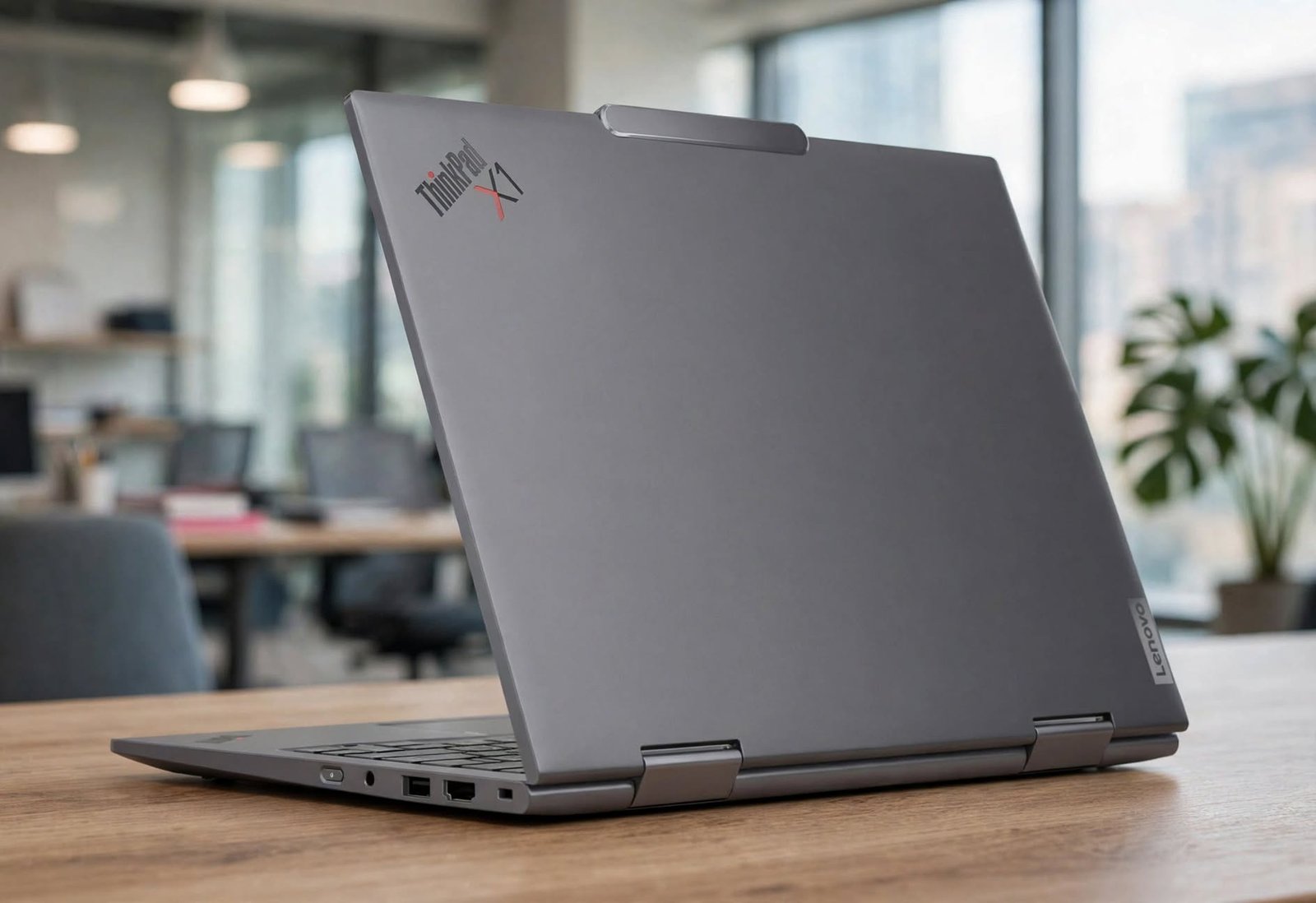
Finding a laptop that effortlessly transitions between a high-powered corporate workstation, a sleek travel companion, and a responsive digital notepad is no easy feat. For decades, the ThinkPad lineup has served as the gold standard for enterprise reliability, and with the release of the Lenovo ThinkPad X1 Gen 9 2-in-1 Touchscreen Laptop (Model 21KE005UUS), Lenovo has refined its flagship convertible formula even further.
Previously known under the “X1 Yoga” branding, this ninth-generation model drops the Yoga moniker in favor of a cleaner, more unified identity while keeping the iconic 360-degree hinge that made it famous. Equipped with the Intel Core Ultra 7 155U processor, 16GB of high-speed memory, a 512GB PCIe Gen 4 SSD, and Intel Evo certification, this 14-inch WUXGA machine is engineered for executives, remote professionals, digital nomads, and power users who demand versatility without sacrificing durability.
In this comprehensive review, we break down the design, display quality, real-world performance, battery endurance, and overall value of the Lenovo ThinkPad X1 Gen 9 2-in-1 to help you decide if it deserves a spot in your daily workflow.
Key Specifications at a Glance
| $1979.01 | Amazon |
Before diving into the day-to-day user experience, here is a complete overview of the hardware configuration for the 21KE005UUS model:
| Specification | Details |
| Model Number | 21KE005UUS |
| Processor | Intel Core Ultra 7 155U (12 Cores: 2 P-cores, 8 E-cores, 2 LP E-cores; up to 4.8 GHz) |
| Platform Certification | Intel Evo Edition |
| Graphics | Integrated Intel Graphics |
| Display | 14-inch WUXGA (1920 x 1200) IPS Touchscreen, 16:10 Aspect Ratio, Anti-Reflective / Anti-Smudge |
| Memory (RAM) | 16GB LPDDR5x-6400MHz (Soldered, Dual-Channel) |
| Storage | 512GB M.2 2280 PCIe Gen 4×4 NVMe SSD |
| Form Factor | 360-Degree Convertible 2-in-1 (Laptop, Tent, Stand, and Tablet Modes) |
| Color & Chassis | Luna Gray, CNC-Machined Recycled Aluminum |
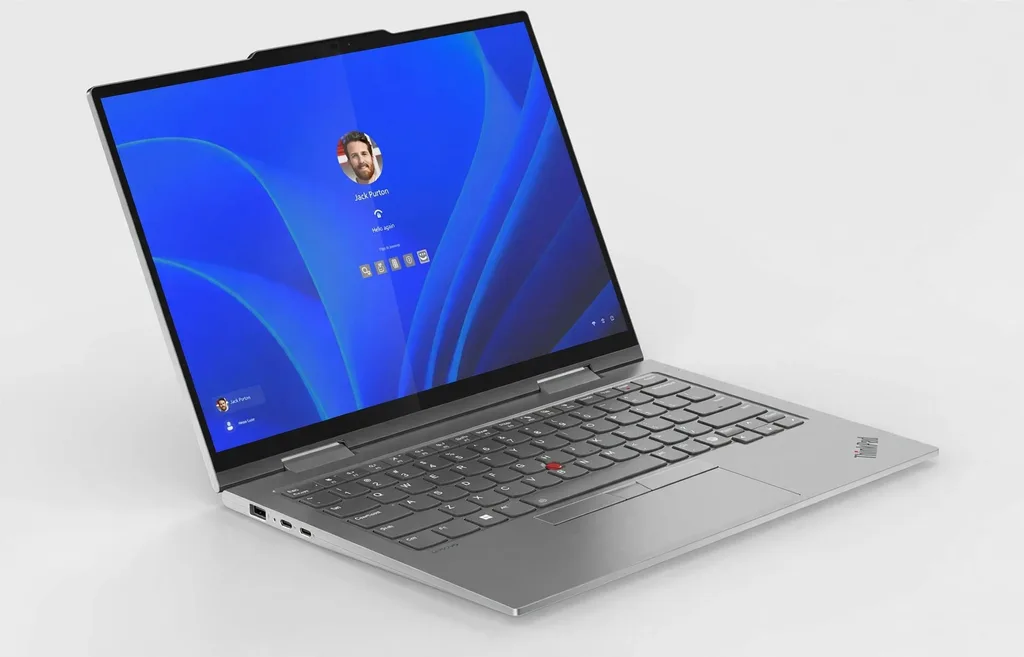
| Keyboard & Input | Backlit English Keyboard, Glass TrackPad, Iconic Red TrackPoint |
| Weight | Starting at approx. 2.98 lbs (1.35 kg) |
| Operating System | Windows 11 Pro |
Design and Build Quality: A Modern Aluminum Evolution
For years, classic ThinkPads were synonymous with matte-black carbon fiber finishes. With the ThinkPad X1 Gen 9 2-in-1, Lenovo embraces a sophisticated Luna Gray aesthetic crafted from precision CNC-machined recycled aluminum. The result is a chassis that looks executive, modern, and noticeably more resistant to oily fingerprints than older matte-black coatings.
Weighing just under 3 pounds (2.98 lbs / 1.35 kg) and measuring a slim 0.61 inches (15.49 mm) thin, this laptop slips effortlessly into a briefcase, backpack, or messenger bag. Despite its featherweight profile, it passes MIL-STD-810H military-grade durability testing, meaning it can withstand temperature extremes, high humidity, dust, vibration, and accidental drops onto hard office floors.
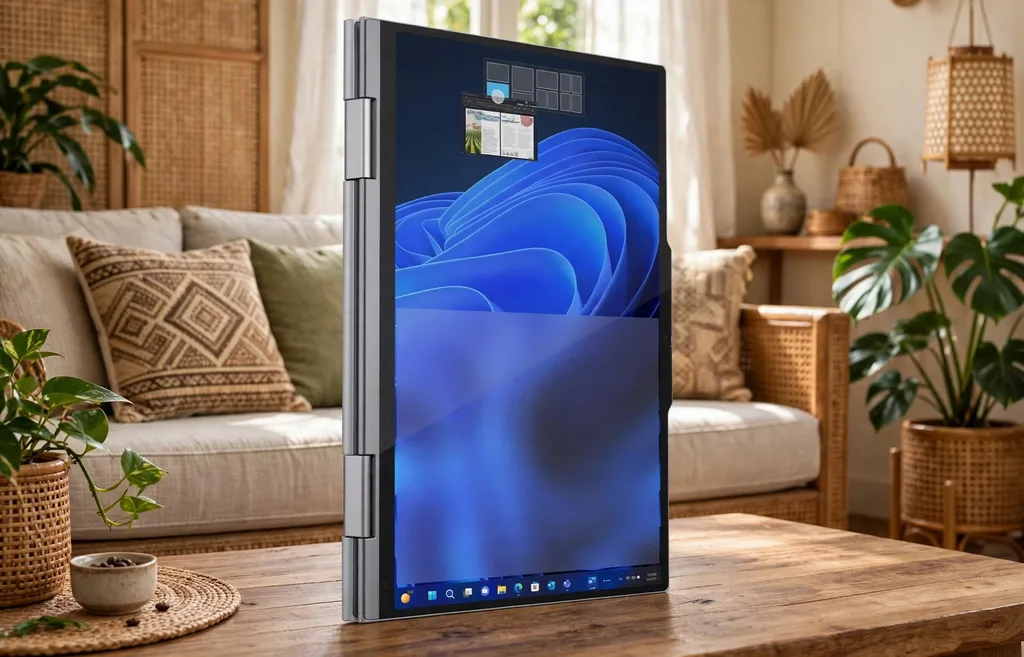
The centerpiece of the chassis is the dual 360-degree hinge. Engineered for smooth, one-handed opening, the hinge holds the 14-inch screen firmly in place at any angle—eliminating screen wobble when tapping on the touchscreen in laptop mode. Whether you fold it flat into a tablet for reading contracts on a flight, prop it into tent mode for watching presentations in a cramped coffee shop, or use it in standard laptop mode at your desk, the transition feels seamless and rock-solid.
Display and Audio: Built for Productivity and Eye Comfort
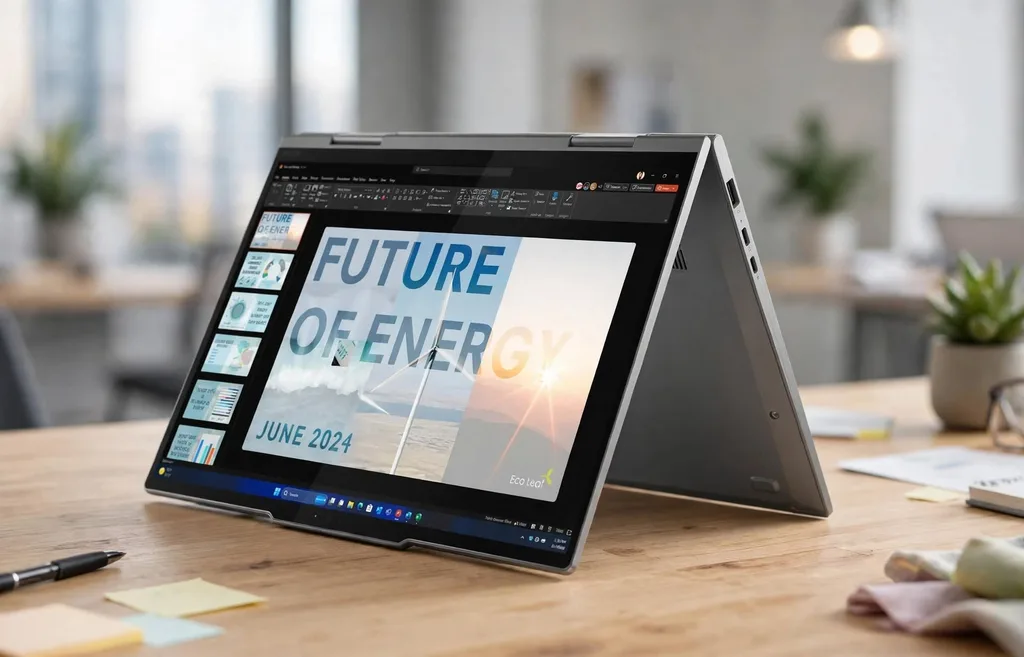
One of the smartest upgrades in modern business ultrabooks is the shift away from cramped 16:9 screens to the taller 16:10 aspect ratio. The Lenovo ThinkPad X1 Gen 9 2-in-1 features a 14-inch WUXGA (1920 x 1200) IPS touchscreen panel that gives you extra vertical screen real estate. When you are reviewing lengthy spreadsheets, editing documents, monitoring financial charts, or browsing web pages, those extra vertical pixels significantly reduce constant scrolling.
Key highlights of the display include:
- Anti-Reflective & Anti-Smudge Coating: Glossy touchscreens often suffer from distracting glare under harsh overhead office lighting. Lenovo treats this panel with an effective anti-reflective and anti-smudge coating, keeping text crisp while minimizing messy fingerprints after hours of touch navigation.
- 400 Nits Brightness & 100% sRGB Coverage: With 400 nits of peak brightness and full sRGB color accuracy, the display remains easily legible in brightly lit rooms and delivers true-to-life colors for photo editing, presentations, and streaming.
- Low Blue Light Certification: Eyesafe certification reduces harmful blue light emission at the hardware level without distorting color warmth, helping prevent eye strain during marathon 10-hour workdays.
Complementing the screen is a Dolby Atmos speaker system with upward-firing drivers flanking the keyboard, paired with a 360-degree quad-array microphone setup. Voice clarity during Zoom, Microsoft Teams, and Google Meet calls is exceptional, with AI-powered noise suppression filtering out background keyboard clicks, air conditioners, and café chatter.
Performance: Intel Core Ultra 7 155U & Intel Evo Efficiency
Under the hood, the 21KE005UUS is powered by the Intel Core Ultra 7 155U processor. Built on Intel’s Meteor Lake architecture, this 12-core, 14-thread chip features a hybrid layout consisting of 2 Performance-cores (boosting up to 4.8 GHz), 8 Efficient-cores, and 2 Low-Power Efficient-cores designed specifically to sip battery during background tasks.
More importantly, the Core Ultra 7 includes a dedicated Neural Processing Unit (NPU) alongside integrated Intel Graphics. While previous laptops forced the CPU or GPU to handle artificial intelligence workloads—draining battery and spinning up cooling fans—the built-in NPU offloads AI tasks such as:
- Real-time background blur, eye-contact correction, and auto-framing in Windows Studio Effects.
- Local AI assistants like Microsoft Copilot.
- Live transcription and real-time language translation during virtual meetings.
Paired with 16GB of fast LPDDR5x-6400MHz RAM and a 512GB PCIe Gen 4 NVMe SSD, the ThinkPad X1 Gen 9 handles heavy multitasking without breaking a sweat. You can comfortably run 30+ browser tabs, multiple Excel models, Slack, Spotify, and video conferencing simultaneously with zero stutter. Because it carries the Intel Evo Platform badge, the system also guarantees instant wake-from-sleep in under a second, consistent responsiveness on battery power, and fast Wi-Fi 6E wireless speeds.
(Note: While integrated Intel Graphics easily drives external 4K monitors and handles light photo/video editing, this U-series ultrabook is built for business productivity and portability rather than AAA 3D gaming or heavy 3D rendering.)
Keyboard, TrackPoint, and Connectivity
Ask any longtime ThinkPad owner why they remain loyal to the brand, and the answer is almost always the keyboard. Even within a slim 2-in-1 chassis, Lenovo delivers a tactile, spill-resistant backlit English keyboard with satisfying key travel, snappy actuation, and subtle air-intake vents under the keys to keep thermal temperatures cool.
Navigation gives you three distinct options:
- The Precision Glass TrackPad: Smooth, spacious, and accurate with full Windows multi-touch gesture support.
- The Iconic Red TrackPoint: Nestled between the G, H, and B keys, allowing you to move the cursor without lifting your fingers off the home row—plus a quick double-tap opens the customizable TrackPoint Quick Menu for rapid audio and camera toggles.
- 10-Point Multi-Touch Display: Ideal for zooming, scrolling, and signing PDFs directly on the glass.
Unlike ultra-thin competitors that force you to carry a bag full of dongles, the ThinkPad X1 Gen 9 2-in-1 packs an impressive selection of physical ports into its sleek edges:
- 2x Thunderbolt 4 / USB4 (40Gbps) ports with Power Delivery and DisplayPort 2.1
- 2x USB-A 3.2 Gen 1 (5Gbps) ports (one Always-On for charging phones while asleep)
- 1x HDMI 2.1 port (supports up to 4K at 60Hz natively)
- 1x 3.5mm Headphone / Microphone Combo Jack
Battery Life and Enterprise Security
Thanks to the low-power efficiency cores on the Intel Core Ultra 7 155U and Intel Evo power optimizations, the ThinkPad X1 Gen 9 2-in-1 easily delivers all-day battery endurance. Under typical mixed productivity workloads—web browsing, document editing, email, and video calls at 50% screen brightness—you can expect between 10 to 13 hours on a single charge. When you do need a top-up, Rapid Charge technology boosts the battery from 0% to 80% in roughly 60 minutes using the compact 65W USB-C adapter.
On the security front, Lenovo equips the machine with its comprehensive ThinkShield suite:
- Match-on-Chip Fingerprint Reader integrated cleanly into the keyboard deck.
- IR Webcam with Windows Hello facial recognition and human presence detection (automatically locks your screen when you walk away and wakes it when you return).
- Physical Webcam Privacy Shutter for instant peace of mind.
- Discrete TPM 2.0 Chip for hardware-level data encryption.
Pros and Cons
Pros
- Ultra-lightweight yet MIL-STD-810H durable CNC-machined aluminum 2-in-1 chassis.
- Best-in-class keyboard with comfortable key travel and dual TrackPoint/TrackPad navigation.
- Great port selection including two Thunderbolt 4, two USB-A, and full-size HDMI 2.1—no dongles required.
- Quiet, cool, and power-efficient Intel Core Ultra 7 155U processor with dedicated AI NPU.
- 14-inch 16:10 WUXGA anti-reflective touchscreen reduces glare and boosts vertical workspace.
Cons
- 16GB RAM is soldered, meaning it cannot be upgraded after purchase (though 16GB is plenty for mainstream business tasks).
- Not designed for heavy gaming or intensive 3D GPU rendering workloads.
- Premium enterprise price tag compared to consumer-grade 2-in-1 laptops.
Who Should Buy the Lenovo ThinkPad X1 Gen 9 2-in-1?
The Lenovo ThinkPad X1 Gen 9 2-in-1 (21KE005UUS) is a masterclass in executive mobile computing. Rather than chasing flashy gimmicks, Lenovo focused on perfecting the fundamentals that actually matter when you work on a laptop for eight to twelve hours a day: an unbeatable keyboard, a glare-resistant 16:10 touchscreen, legacy and modern ports without adapters, rock-solid security, and reliable all-day battery life.
If you are a business executive, consultant, frequent traveler, student, or remote professional looking for a lightweight convertible laptop that refuses to compromise on build quality or typing comfort, the ThinkPad X1 Gen 9 2-in-1 is easily one of the finest 14-inch ultrabooks on the market.